
Printable Biweekly Timesheet Template (PDF & Excel Download)
One form for an entire two-week pay period — log daily hours in Week 1 and Week 2, see weekly subtotals, and submit a single signed timesheet for biweekly payroll.
 Time Card Calculator
Biweekly Employee Timesheet
14-day timesheet template — fill in clock times and breaks for Week 1 and Week 2.
- Employee name
- Employee ID
- Department / Supervisor
- Pay period ending
| Day | Date | Clock in | Clock out | Break (min) | Total hours | Notes |
|---|---|---|---|---|---|---|
| Week 1 | ||||||
| Monday | ||||||
| Tuesday | ||||||
| Wednesday | ||||||
| Thursday | ||||||
| Friday | ||||||
| Saturday | ||||||
| Sunday | ||||||
| Week 1 total | ||||||
| Week 2 | ||||||
| Monday | ||||||
| Tuesday | ||||||
| Wednesday | ||||||
| Thursday | ||||||
| Friday | ||||||
| Saturday | ||||||
| Sunday | ||||||
| Week 2 total | ||||||
| Pay period total | ||||||
Employee signature
Date: _______________
Supervisor approval
Date: _______________
Biweekly Timesheet Template for 14-Day Pay Periods
Many employers pay every two weeks rather than weekly. This timesheet matches that rhythm: fourteen daily rows grouped into Week 1 and Week 2, with subtotals for each week and a combined pay-period total. Use it when HR asks for one document covering the full biweekly cycle — common in office, healthcare, manufacturing, and public-sector payroll. PDF works for pen-and-paper workflows; Excel suits teams that archive timesheets digitally.
- Full 14-day pay period on one sheet
- Week 1 and Week 2 sections with subtotals
- Pay-period total row for biweekly gross hours
- PDF printout or Excel for digital filing
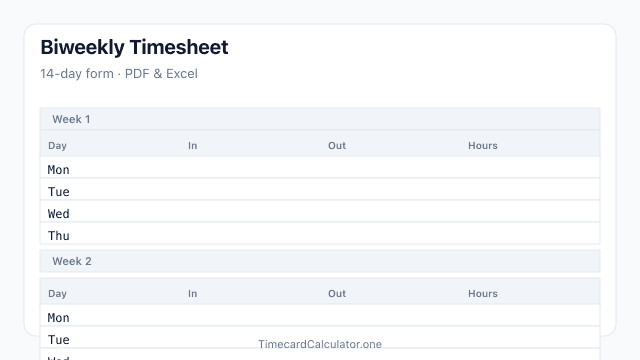
Blank Biweekly Timesheet Layout
Fourteen daily rows split into Week 1 and Week 2 with clock columns, weekly subtotals, and a combined pay-period total — print on A4 or edit in Excel.
How to Complete a Biweekly Timesheet
Cover both weeks of your pay period on one form, then submit weekly subtotals and the combined total to payroll.
- Enter employee name, ID, department, and the pay period ending date at the top of the form.
- Fill in Week 1: for each day worked, record clock in, clock out, break minutes, and daily hours.
- Repeat for Week 2 using the second section — keep days in chronological order across both weeks.
- Add Week 1 and Week 2 subtotals, then verify the pay-period total matches both weeks combined.
- Sign, have your supervisor approve, and submit before your employer's biweekly payroll cutoff.
What's Included
- 14-day biweekly grid split into Week 1 and Week 2
- Clock in, clock out, break, and total hours columns
- Employee name, ID, department, and pay period ending fields
- Weekly subtotals plus pay-period total row
- Employee and supervisor signature lines
- A4 PDF and editable Excel (.xlsx) downloads
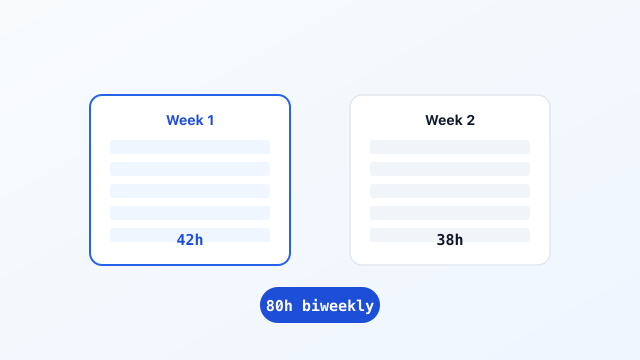
Example of Hours Logged Across Two Weeks
A completed biweekly timesheet shows daily entries in both week sections, with subtotals that payroll uses to verify gross hours before cutting checks.

Frequently Asked Questions
Related Templates
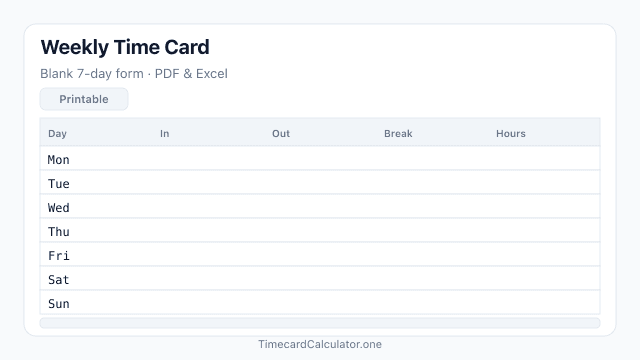
Time Card Template
Blank weekly time card template with daily clock in, clock out, and break columns. Download a free PDF or Excel file, print on A4, and track one workweek of employee hours.
Download template →
Related Tools


Estimate only. Not tax, legal, or payroll advice. Overtime rules, break policies, and rounding vary by employer, state, and country. Confirm totals with your payroll department before submitting a timesheet.