
Printable Time Card Template (PDF & Excel Download)
A Monday-through-Sunday time card for shift workers and hourly staff — record daily clock times, deduct breaks, and total one workweek before payroll.
 Time Card Calculator
Weekly Employee Time Card
Employee time sheet template — fill in clock times and breaks for each day.
- Employee name
- Employee ID
- Department / Supervisor
- Week ending
| Day | Date | Clock in | Clock out | Break (min) | Total hours | Notes |
|---|---|---|---|---|---|---|
| Monday | ||||||
| Tuesday | ||||||
| Wednesday | ||||||
| Thursday | ||||||
| Friday | ||||||
| Saturday | ||||||
| Sunday | ||||||
| Weekly total | ||||||
Employee signature
Date: _______________
Supervisor approval
Date: _______________
Weekly Time Card Template for Daily Clock In and Clock Out
Use this blank time card when your employer runs weekly payroll or expects a signed hour log for each workweek. One row per day covers clock in, clock out, lunch break minutes, and total hours worked — ideal for retail, hospitality, field crews, and any job where supervisors review hours day by day. Download PDF for hand entry or Excel if your payroll team prefers spreadsheet records.
- Single workweek (Monday through Sunday)
- Daily clock in, clock out, and break columns
- Weekly total row with employee and supervisor signatures
- PDF for printing or Excel for digital entry
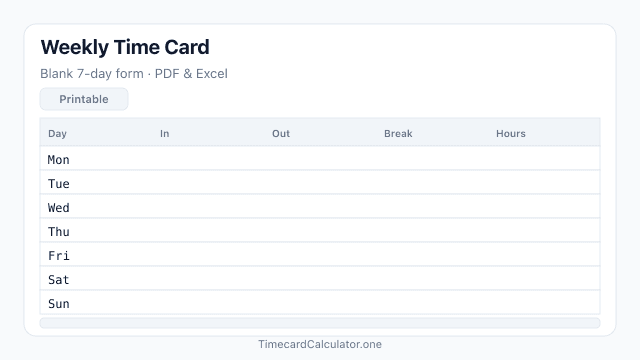
Blank Weekly Time Card Layout
Seven daily rows (Monday through Sunday) with clock in, clock out, break, and total hours columns — ready to print on A4 or fill in Excel.
How to Fill Out a Weekly Time Card
Print or open the form, log each day's shift times, and submit one signed card per workweek.
- Print the PDF or open the Excel file, then enter employee name, ID, department, and the week ending date (usually Sunday or your employer's week-end day).
- For each day worked, write clock in and clock out times in 12-hour or 24-hour format.
- Record lunch break or lunch minutes in the break column and calculate net hours for that day.
- Note holidays, PTO, or schedule changes in the Notes column so payroll can see exceptions.
- Sum the week, sign and date the card, and turn it in to your supervisor before the payroll deadline.
What's Included
- 7-day weekly grid (Monday through Sunday)
- Clock in, clock out, break, and total hours columns
- Employee name, ID, department, and week ending fields
- Weekly total row and signature lines for employee and supervisor
- A4 PDF — clean black-and-white layout for printing
- Editable Excel (.xlsx) for digital entry and payroll import
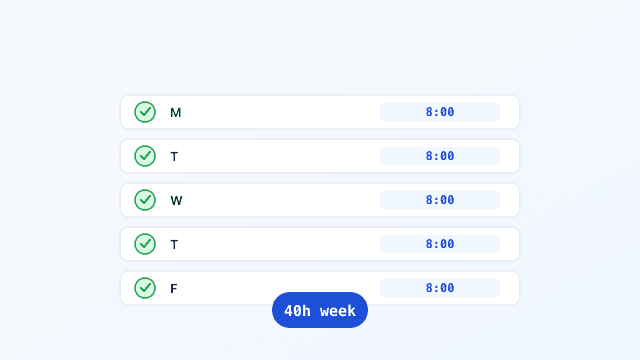
Example of a Completed Weekly Time Card
Each day shows clock times and net paid hours for one workweek — the same layout our online calculator produces when you want automatic totals instead of manual math.

Frequently Asked Questions
Related Templates
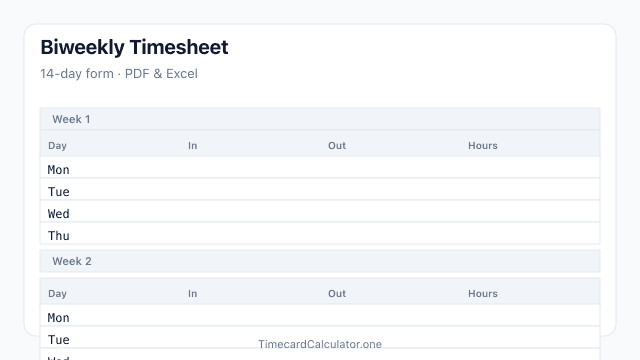
Biweekly Timesheet
Blank biweekly timesheet for a 14-day pay period with separate Week 1 and Week 2 sections. Download free PDF or Excel, print on A4, and submit two weeks of employee hours on one form.
Download template →
Related Tools

Estimate only. Not tax, legal, or payroll advice. Overtime rules, break policies, and rounding vary by employer, state, and country. Confirm totals with your payroll department before submitting a timesheet.